It is easy to sign off a form after completing every field correctly. That familiar mistake leaves the customer to discover whether the route works when something goes wrong.
Someone enters a valid address in an unexpected format, receives a vague error and loses the product configuration they selected. The successful route worked. The recovery route never had its turn in the review.
Error handling belongs in conversion work because correcting ordinary mistakes is part of the customer's task. You cannot eliminate every error. You can check that the next action is understandable, relevant information is preserved and a real restriction is distinguishable from a problem the customer can fix.
Establish what the form needs to accomplish
Start with its purpose. An enquiry about a selected product needs a reliable product reference and a usable contact route. It does not automatically need every detail required for a full order.
Review each field against that task. Unnecessary questions add work and opportunities for confusion. Necessary ones need clear labels and, where the requirement is not obvious, a reason the customer can understand.
If the form opens from a configuration page, verify that the enquiry retains the relevant model and options. A successful submission carrying the wrong product reference has not completed the customer's task. Keep the meaning of the request intact throughout the route, rather than judging success solely by whether the form submits.
Try the ordinary inputs your test order avoids
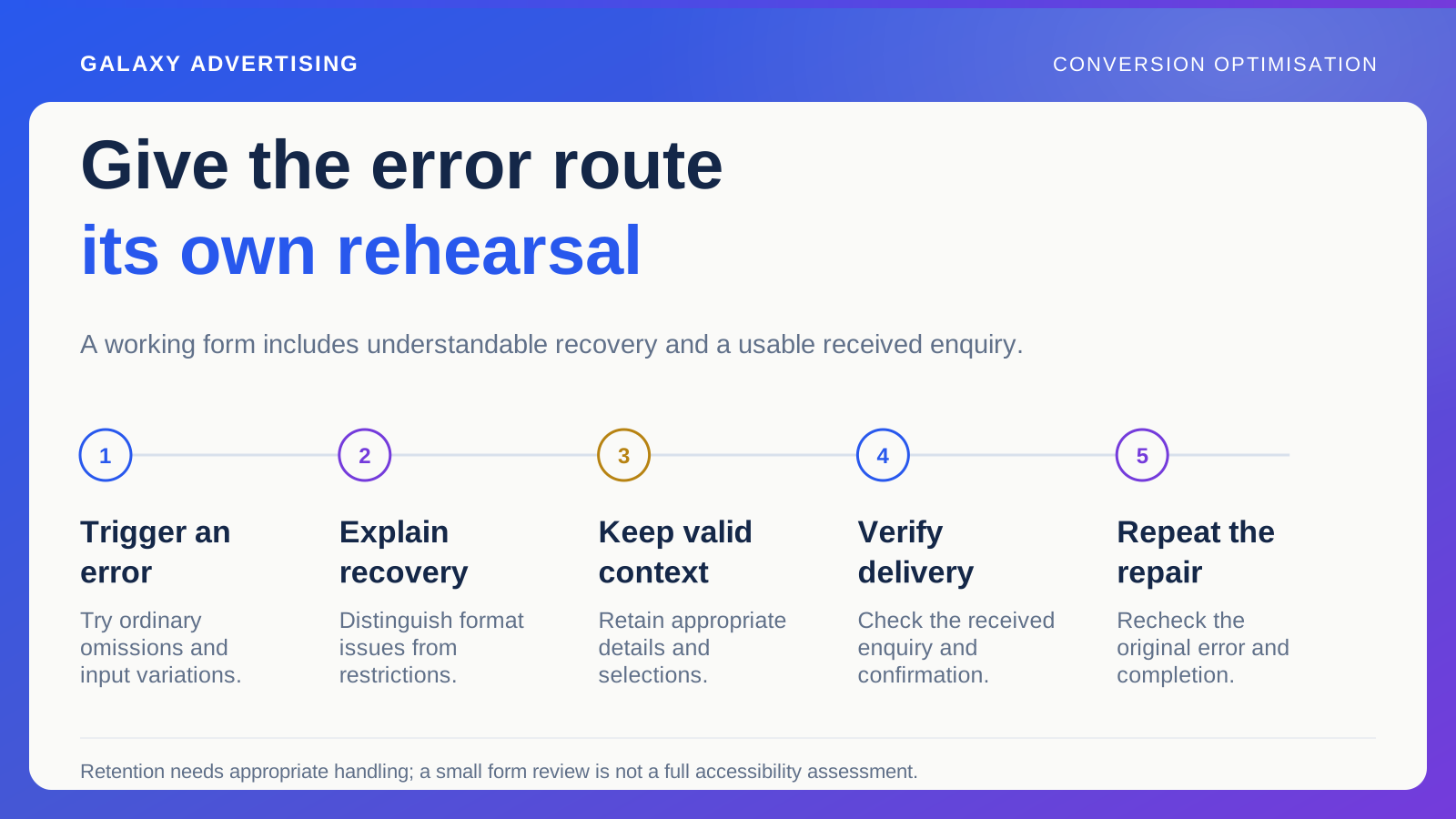
Leave a required field empty. Use a normal formatting variation. Correct an error and remove an optional value. Choose realistic examples, alongside any arbitrary strings designed to test software failure.
Ask whether the validation suits the information requested. A restrictive rule could reject genuine details because it assumes a narrower range than your business serves. Have the developer explain the restriction rather than accepting an unexplained technical pattern.
W3C's forms guidance addresses accommodating input formats and communicating validation errors accessibly. Use the current guidance to review the implementation. A visible error alone is not enough: check how the message is associated with the field and made available to the customer. Presentation and access both matter to recovery.
Tell the customer what they can do next
An error needs enough detail for someone to act. “Invalid input” leaves them guessing whether the issue concerns address format, missing information or a service restriction.
Separate a correctable input problem from an unavailable offer. If the service does not cover an area, repeatedly asking for the same postcode again will not help. If formatting is the problem, give a usable correction instruction.
Keep the tone specific and proportionate. The customer is trying to complete a task rather than pass a technical examination. A conspicuous red warning can draw attention without providing any useful next step. The explanation needs to do that work, so someone can understand how to proceed.
Keep the information that still makes sense
After an error, check that accepted details and selections remain. Rebuilding a long enquiry because one field needs correction adds avoidable effort at exactly the point where the customer is already stuck.
Include browser navigation and return from an external step where they form part of the real route. Going back to inspect a specification or correct contact details should not silently change the product configuration.
Security or privacy can justify not retaining particular information. Have the responsible implementation team establish appropriate behaviour. Your audit should identify the consequence and dependency, rather than prescribe retention of every field regardless of context. The customer task and the relevant handling requirements both need consideration.
Verify where the enquiry actually arrives
A button animation or disappearing form does not prove the enquiry reached its intended destination. Submit an authorised test through the real route and verify the result with the responsible recipient or system owner.
Check the received information too. Product references, selected options and the message need to remain understandable. A technically delivered record can still require avoidable manual reconstruction before anybody can answer.
Give the customer an accurate confirmation of what happened and what follows. Response times and services need operational agreement before they become promises. The confirmation should describe the team's actual handling process, with an expectation that the people receiving the request can maintain.
Review the devices and methods that matter
Check relevant devices and interaction methods. Labels, instructions and errors should remain usable on a narrower display and when navigating controls without a mouse.
Record what you checked. A small review is not a complete accessibility assessment, and broader claims may need specialist evaluation. You can still identify specific barriers and provide reproducible examples for correction without overstating the coverage.
Prioritise by effect on the task. A cosmetic inconsistency and an error preventing correction or removing essential information can both be recorded. They should not compete under one undifferentiated label, as though their customer consequences were equivalent. Make the reason for urgency visible.
Follow the information into the receiving team's work
Can the team receiving the enquiry identify what they need to do? An unclear subject, missing configuration or inaccessible reference can delay an answer even after successful delivery.
Follow the useful information far enough to establish that the request can be handled. The customer's task extends beyond getting a message into a system nobody can readily interpret.
Finish the repair by repeating the recovery
For each corrected issue, repeat the original failing action and what happens afterwards. Verify that someone can understand the problem, correct it and finish with the right information preserved.
Keep the tested configuration, observed result and remaining limits. That gives development an acceptance record and helps future releases avoid bringing the defect back.
A robust buying route has room for an ordinary, understandable mistake. Its quality becomes visible when somebody who does not know every rule can still recover and complete the task. That is the demonstration worth asking your conversion audit to make.